Observability
Part of Workflow operating costs
Setting budget alerts for high-volume integrations
Choose usage and spending alerts for busy integrations, with plan limits, response owners and delayed-billing caveats.
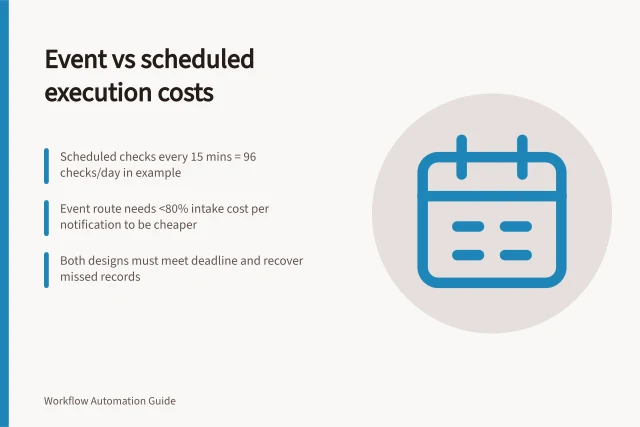
Set an alert on the usage measure that can rise first: tasks, credits, executions, billable operations or connected-service requests. Give it an owner and a response. Add a financial budget alert where the service offers one. A delayed monthly cost view may miss a workflow loop while it is still running.
Choose the signal and threshold
Record the billing period, allowance or spending budget, usual daily use, busy periods and other integrations sharing the account. Use a period view for approaching the allowance and a shorter-window signal for a sudden spike. Set thresholds from observed demand and the time an owner needs to respond; a universal percentage will not fit every integration.
Match each signal to its meter. Make reports credits; listed licensed n8n plans count workflow executions. Azure Logic Apps costs can be monitored with Microsoft Cost Management budgets. If a connected API has its own charges or quota, watch it separately. A platform usage alert does not cover every downstream bill.
Key Metrics for Monitoring High-Volume Integration Costs
- Billing Period
- Monthly (commonly aligned with invoice cycle)
- Budget Evaluation Frequency
- Every 24 hours (Azure)
- Make Team Credit Alert Triggers
- 75%, 90%, and 100% of allocated credit limit
- n8n Execution Counting
- Based on licensed plan tiers (workflow executions counted)
Check the available route
| Route | Capability | Limit |
|---|---|---|
| Zapier usage alert | Check current account documentation for available alert options | Confirm the supported measure, threshold, role and notification route for the deployed plan |
| Make Enterprise team credit limit | Organisation owners or administrators can allocate team credits; documented emails occur at 75%, 90% and 100% | Reaching the limit pauses the team's scenarios; this is a team-level continuity control, not a per-scenario warning |
| Azure Cost Management budget | Can alert on actual or forecast costs for a selected scope | Does not stop consumption; cost data and budget evaluation are delayed |
Confirm the deployed plan, role and scope before assigning an alert route. Where a product lacks a suitable configurable threshold, an owner can review usage through a supported reporting view on an agreed schedule. That review should not be presented as an automatic alert.
Alerting Capabilities Across Platforms for High-Volume Integrations
- Platform
- Zapier (Enterprise)
- Alert Signal
- Usage alerts on tasks, executions, or billable operations
- Threshold Customisation
- Configurable by user; depends on deployed plan
- Notification Route
- Email, Slack, or webhook (based on plan)
- Action on Trigger
- No automatic stop; requires manual intervention
- Platform
- Make Enterprise (Team Credits)
- Alert Signal
- Credit usage at 75%, 90%, and 100% of team limit
- Threshold Customisation
- Fixed percentages; not adjustable per scenario
- Notification Route
- Automated email to organisation owners/admins
- Action on Trigger
- Pauses all team scenarios when limit reached
- Platform
- Azure Cost Management
- Alert Signal
- Actual or forecasted costs for selected scope
- Threshold Customisation
- Custom amount or percentage; set per budget
- Notification Route
- Email, Azure Monitor, or webhooks
- Action on Trigger
- Does not stop consumption; alert only
- Platform
- n8n (Self-hosted or Cloud)
- Alert Signal
- Workflow executions (counted under licensed plans)
- Threshold Customisation
- Depends on plan; no built-in alert system in free tier
- Notification Route
- Via external monitoring tools (e.g., Prometheus, Grafana)
- Action on Trigger
- No native pause; must be configured externally
Give the alert an action
Record the owner, account or workflow scope, threshold, observation window and notification route. When it fires, compare use with a comparable busy period. Find the workflows and steps driving the increase, then check whether eligible business work rose with it.
If legitimate demand grew, assess the allowance and downstream capacity. If a loop or irrelevant event stream caused the spike, change that route through the normal operating process while preserving unprocessed work. If the destination is failing, keep retries and unresolved records visible; a cost warning may also reveal an incident.
Treat hard limits as an explicit service decision. Make's Enterprise team limit pauses scenarios when reached. Azure budget alerts leave consumption running. Microsoft says Azure cost and usage data is typically available after 8–24 hours and budgets are evaluated every 24 hours, so a separate usage signal is needed when a rapid spike matters. Those timings are typical, not a notification deadline.
After a peak or workflow change, compare when the alert fired, the usage behind it, the owner's response and the later usage or bill. Adjust the threshold only after understanding missed spikes or frequent false alarms.